How to add a disabled state to any UI element

<1 min. read

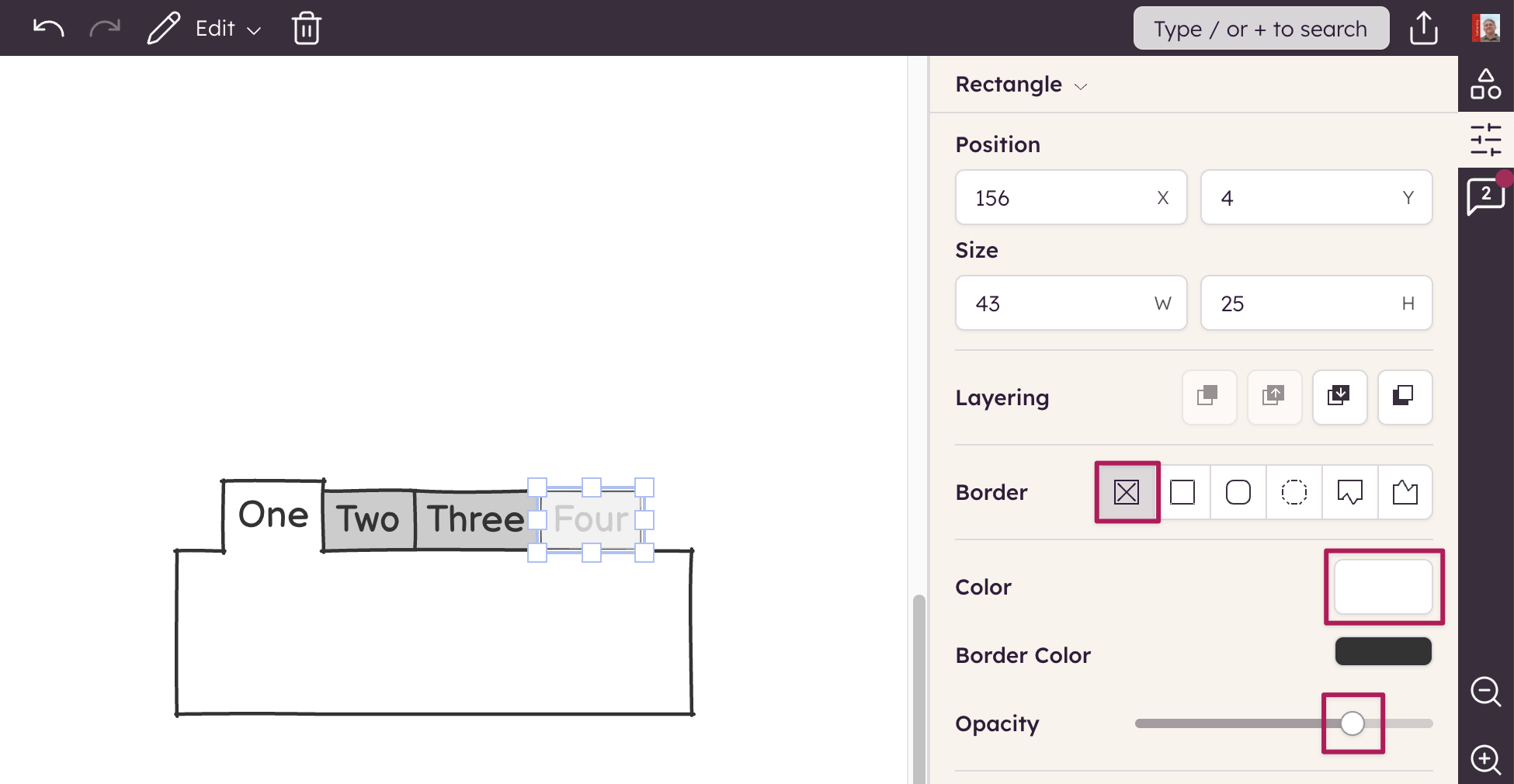
Here is a quick way to make any part of a UI element disabled:

  1. Add a Rectangle element and make it borderless
  2. Set its opacity to 75%
  3. Move and resize the rectangle to overlay your other element (Tabs Bar in this case)
  4. Group the elements together
Author

Peldi Guilizzoni
Peldi Guilizzoni

Founder and Product Designer @ Balsamiq

Questions or feedback? Email peldi@balsamiq.com.

Related articles


How to add a background color to any UI element

A trick to add backgrounds to any UI element in Balsamiq.

How to add a blank row to a combobox or menu element

A neat trick to add a blank row to two common Balsamiq UI elements.

How to keep form labels aligned

A neat trick to keep labels in Balsamiq wireframes aligned even after editing them.


Other topics you might be interested in