Balsamiq Logo
Balsamiq Logo
Product
Features Balsamiq AI
Changelog
Use Cases
Customer stories
Pricing
Resources
Help Center Blog Balsamiq Academy Good Product Club
Log in Try it free
Try it free
  • Product
    • Features
    • Balsamiq AI
    • Changelog
  • Use Cases
    • Customer stories
  • Pricing
  • Resources
    • Help Center
    • Blog
    • Balsamiq Academy
    • Good Product Club
Log in Try it free
Getting started with Balsamiq for Confluence
Help Center Product docs & FAQs Plans & Billing FAQs
Documentation
  • Getting started
    • What is Balsamiq?
    • Getting started with Balsamiq Cloud
    • Getting started with Balsamiq for Desktop
    • Getting started with Balsamiq for Confluence Cloud
    • Getting started with Balsamiq for Confluence Data Center
      • Adding a new project to a Confluence page
      • Transitioning from a previous version
      • Saving the project
      • Closing the Balsamiq editor
      • Using the Balsamiq macro
    • Getting started with Balsamiq for Jira Cloud
    • Getting started with Balsamiq for Jira Data Center
    • Next steps
    • A couple of little treats
  • Account Management
  • Creating and editing
  • Sharing and collaborating
  • Integrations

Closing the Balsamiq editor

When you are done editing your wireframes, you can exit the editor by pressing the Back to Confluence button in the Top Bar of the editor.
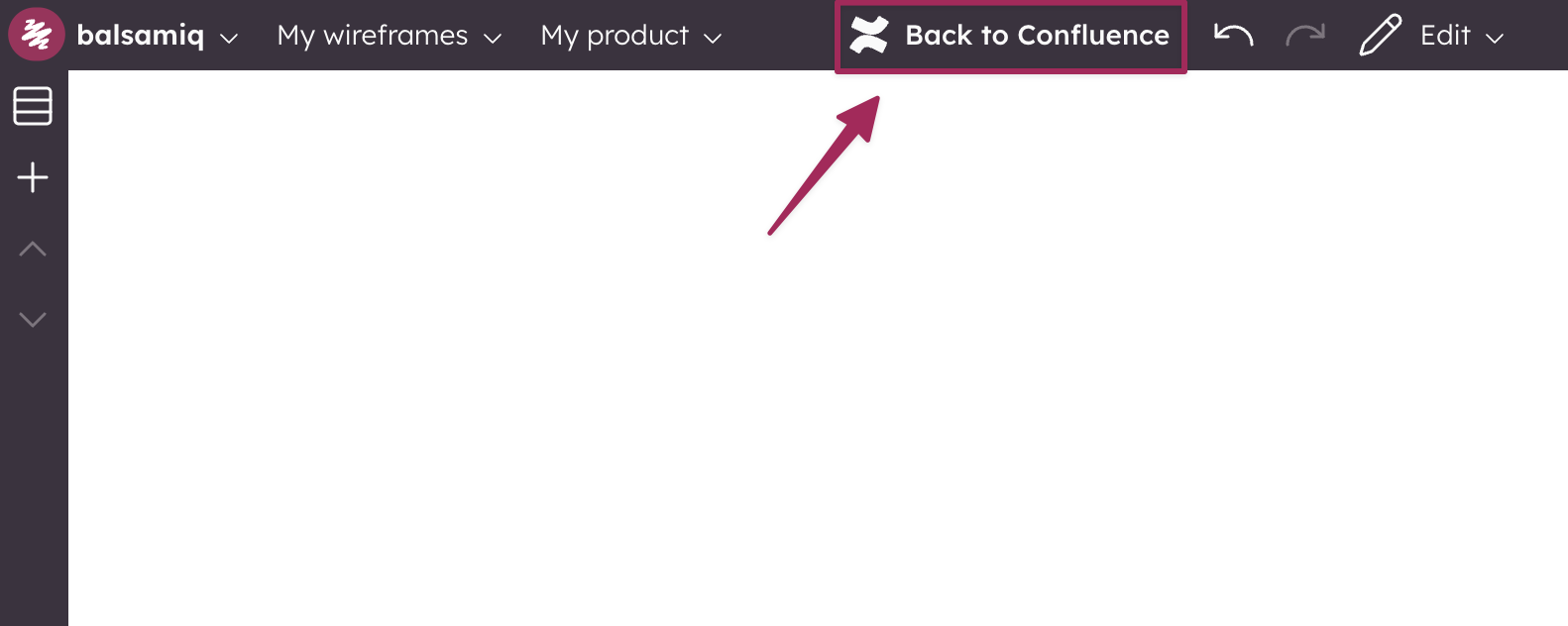
Use Back to Confluence to finalize edits, save the project, and refresh the wireframes on the page.

This will also save the current project and update the version that will be now visible in the Balsamiq macro.


Balsamiq Logo
  • Features
  • Balsamiq AI
  • Pricing
  • Changelog
  • Balsamiq for Desktop
  • Balsamiq for Confluence
  • Balsamiq for Jira
  • Balsamiq vs other tools
  • Balsamiq Blog
  • Help Center
  • Changelog
  • Customer stories
  • Good Product Club
  • Balsamiq Academy
  • Server status
  • Research program
  • Slack community
  • Balsamiq for nonprofits
  • About us
  • Careers
  • Brand assets
  • Legal
GDPR Logo GDPR COMPLIANT SOC2 Logo SOC2 COMPLIANT

© 2008- Balsamiq · Privacy · Terms · Cookie Preferences