Balsamiq Cloud plans and AI credits
On this page
This page explains how pricing works, what's included in each plan, and how AI credits are used and managed.
Balsamiq Cloud pricing
Balsamiq Cloud is a subscription-based service priced by the number of users in your space.
Key concepts:
- Space: Your organization's workspace. Each space has its own subscription.
- Editors: Paid users who can edit any projects that they have access to
- Reviewers: Free users who can view projects they have access to
- Projects: 10-400 depending on plan
You can create as many spaces as you need, each with its own subscription.
Balsamiq Cloud plans
Wondering about which plan is right for you?
Every paid plan includes:
- Unlimited reviewers
- Drag-and-drop wireframing
- AI wireframing and prototyping
- Custom, reusable UI components
Here are the key differences between our plans:
| Feature | Starter | Teams | Enterprise |
|---|---|---|---|
| Projects | Up to 10 | Up to 100 | Up to 400 |
| Monthly AI credits per editor | 500 | 1,000 | 2,500 |
| Priority support | |||
| SSO / SAML | |||
| Enterprise SLAs | |||
| Data residency (US / EU) | |||
| Security form assistance |
Note: Free trials include 100 AI credits for your space.
AI credits
Credits are used for any Balsamiq AI action that creates or edits content, and deducted from your space's monthly pool.
Credits are shared across everyone in your space, not assigned per user. Everyone draws from the same monthly balance. Your space receives credits from your plan, and optional top-ups.
Credit usage
Credit cost varies by action. The amount depends on the complexity of the request and the AI model used. Here is a breakdown of the cost per action:
| Action | Approximate credits |
|---|---|
| Generate a screen (from text or image) | ~16 |
| Edit with AI | ~15–18 |
| Generate an image | ~40 |
| Generate a prototype | ~8–50 (roughly ~8–10 per screen) |
Note: Credits are only deducted after successful generation. If an action fails due to a system error, no credits are deducted. Credits are charged for completed results even if you choose not to keep them — iteration is part of the workflow.
Credit balance
Credits reset on your space's billing cycle date each month. Monthly and annual subscribers both receive a monthly credit reset. For annual subscribers, the reset date is based on the day your subscription started.
Unused monthly credits do not roll over.
Your credit balance appears in two places:
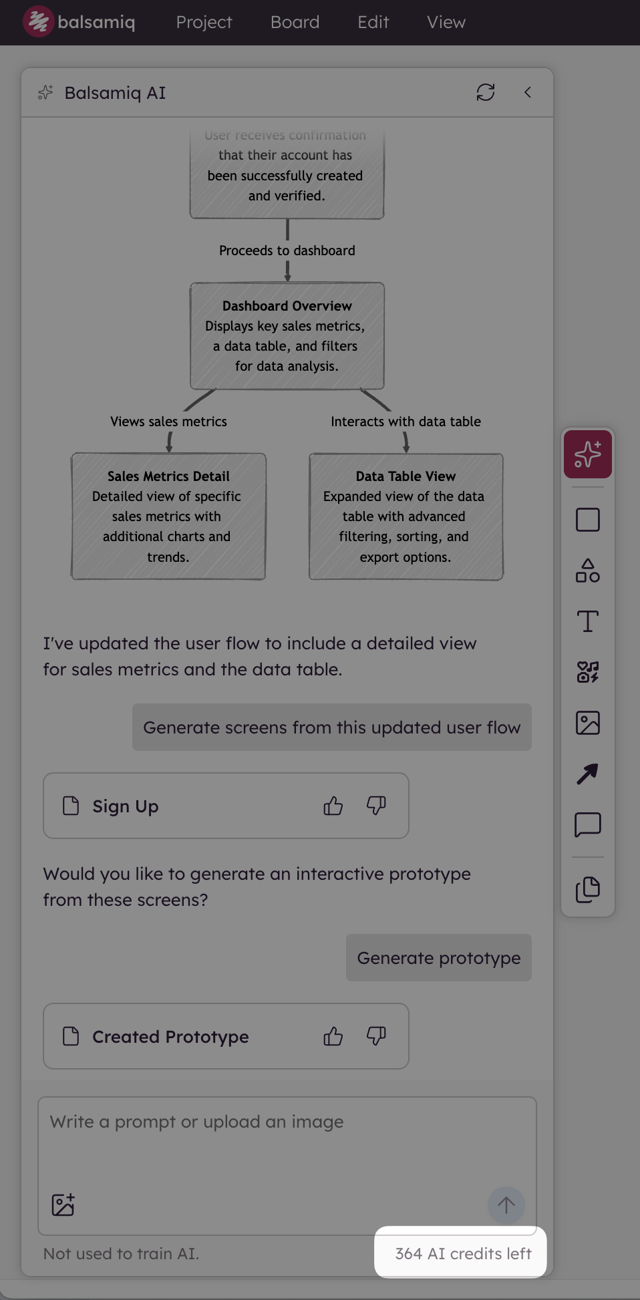
- Balsamiq AI panel — a credit counter visible at the bottom of the panel while you work.
- Billing page — Open the billing page and check out the "AI credits section" with a breakdown of used credits, plan credits remaining, and top-up credits remaining, along with your reset date and a usage projection.
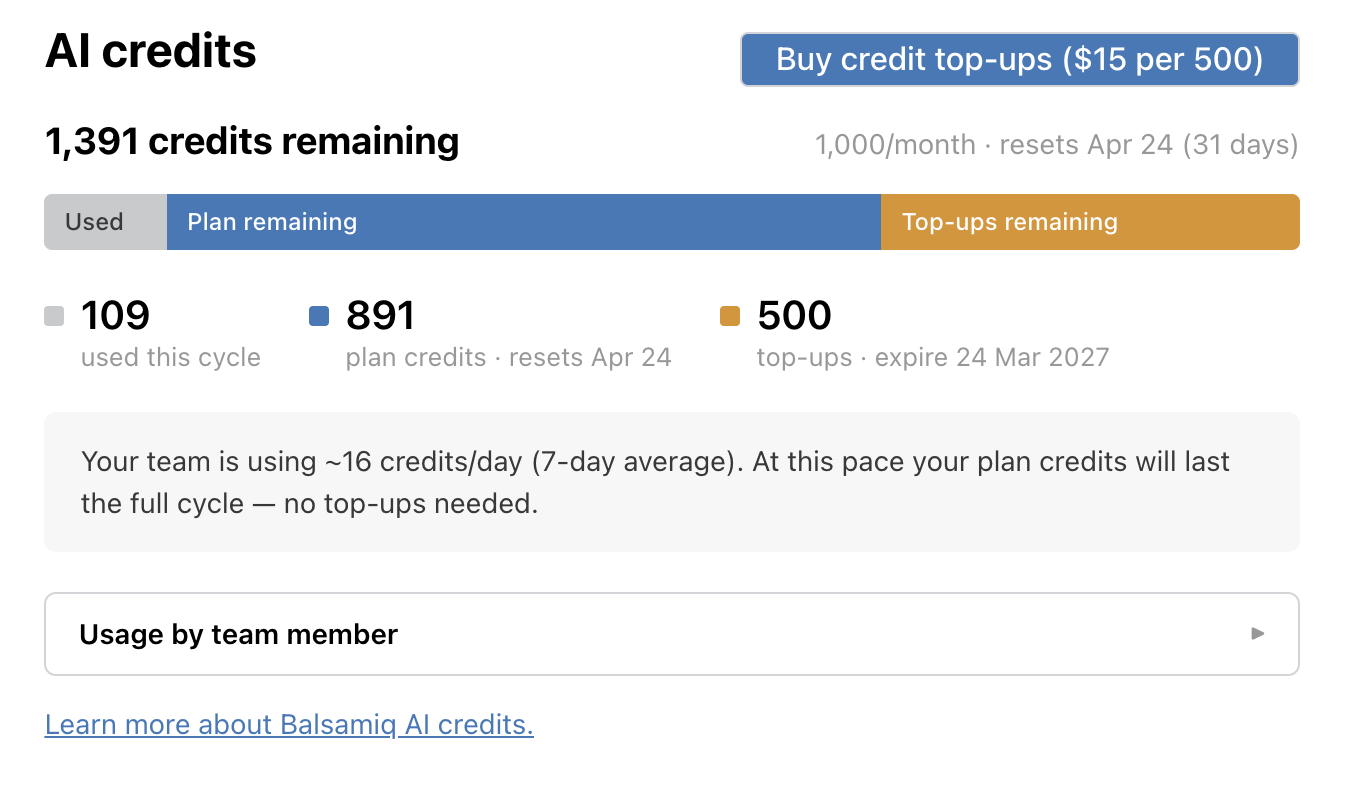
Note: The "AI credits section" also allows you to monitor individual usage per person, by expanding the "Usage by team member" section at the bottom.
Credit top-ups
Credit top-ups let you buy additional credits without changing your subscription. If your space runs out of credits before your monthly balance reset, you can buy top-up packs on demand.
Credit top-ups are sold in packs of 500 credits for $15 each and you can purchase multiple packs at once.
Credit top-ups expire 12 months from the date of purchase. You can buy top-ups from the billing page in your Balsamiq Cloud account.
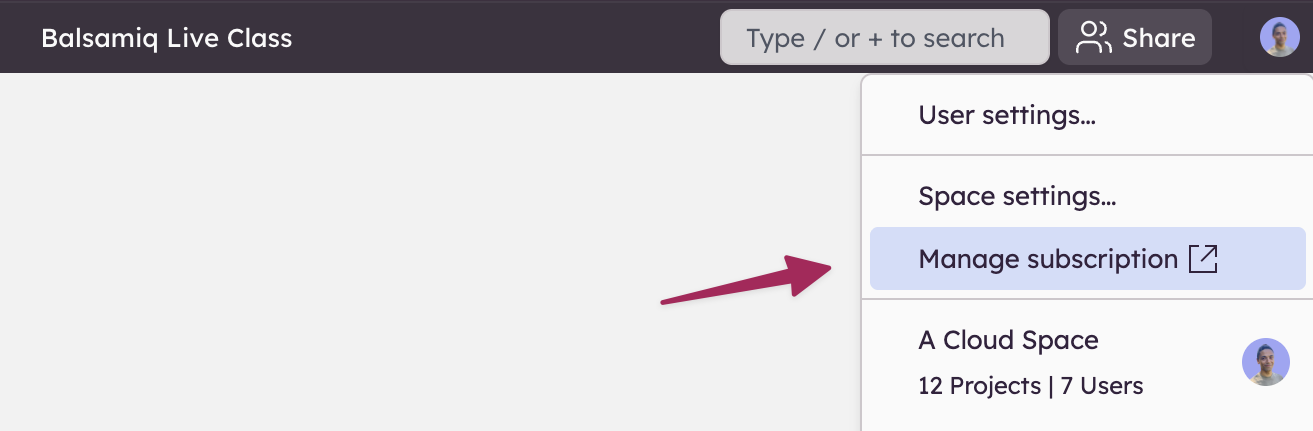
Note: Plan credits are always used first. Credit top-ups only kick in after your monthly allowance is exhausted.
Free trials
Every new Balsamiq Cloud space includes 14 days of free access with no credit card required to start:
- Project limits: Up to 2 active projects at a time, each containing unlimited boards and wireframes.
- Balsamiq AI credits: 100 AI credits for AI wireframing, prototyping, image conversion, and image generation.
- MCP server: Trial access to query, analyze, and iterate on Balsamiq projects using AI tools (Claude, Cursor, Codex, and more).
- Team collaboration: Invite as many co-editors and unlimited reviewers as you need to evaluate the tool with your entire team.
Products purchased through the Atlassian marketplace are subject to separate free trial terms.