Editing components
When you select a Component on the board, the Transform area of the selection toolbar (or the Properties panel, if it's on) shows the component's name and a component menu. The main actions are Break apart from source and Edit source component.
Break apart from source breaks the connection between the individual UI elements inside the Component and the Component itself for the selected instance, meaning that it is no longer a Component (although the original Component remains intact). Any changes you make to a broken apart Component will not get updated elsewhere and any changes made to the Component will not update where it has been broken apart.
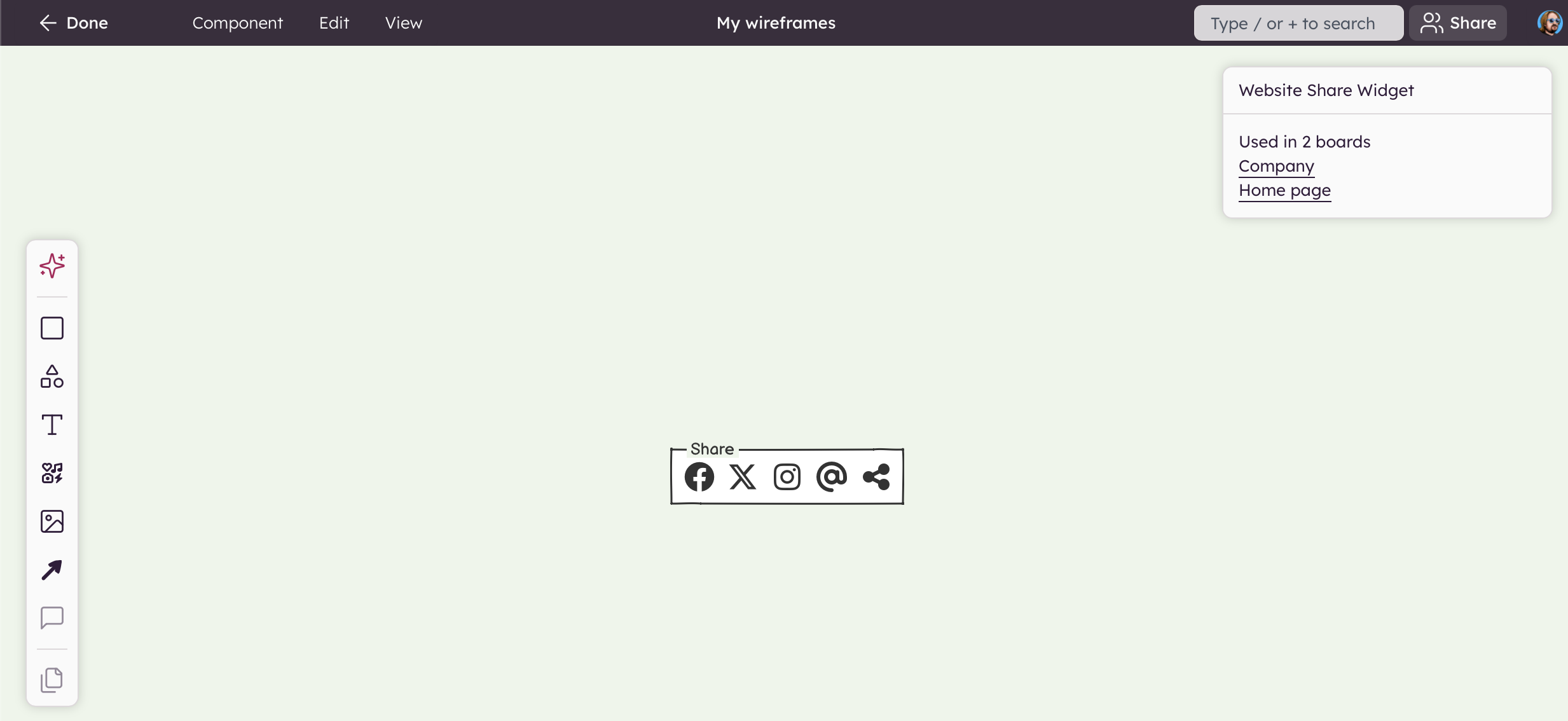
Edit source component takes you to the Components editing mode where you can edit the Component. The main benefit of reusable Components is that if you need to make a change, you can just do it in one place and it will be propagated to all the instances (uses) of that Component. When you are done editing a Component, you can click the "Done" button on the board. Edits made to the Component will be immediately reflected in any boards using it. You can also open a component for editing from the UI elements panel: open the component's menu there and choose "Edit component source".
An instance can't be restructured on its own: you can't change the z-order of the elements inside it, delete them, or add new ones. To make those changes, edit the source component.
When you override a property on a component instance (such as changing the text or color), the component button in the toolbar turns green to indicate that overrides are active. In the component menu, "Remove all overrides" goes back to the component's values, and "Remove position and size overrides" undoes only a move or resize. To undo a single change, select the element you changed inside the instance: a green component button appears next to it, with a "Remove [property] override" item for each property you changed (for example "Remove text override"). You can also rename or delete the source component from the same menu ("Rename source component…", "Delete source component").